Building a Livestock Auction Platform on AuctionWorx
Custom fields, sale-day catalogs, lineage and location search: what to configure in AuctionWorx and what needs development.
15+ years on AuctionWorx · RainWorx Premium Partner
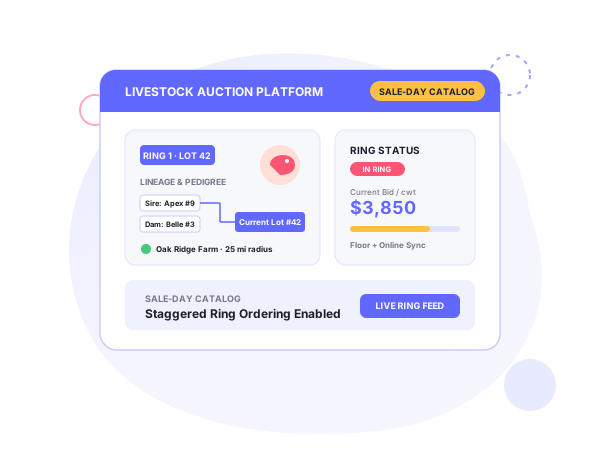
Livestock auction platform development on AuctionWorx starts with the sale-day calendar and how breeds and lineage are modeled.
Enterprise or Events edition for a sale-day auction
Pick the edition first. Enterprise treats each listing as its own auction that closes on its own timer. Events groups lots into a scheduled sale with a cataloged order and staggered closing.
Systenics’ edition comparison says livestock operations on a strict sale-day calendar, with ordered rings and lots, fit Events. That edition also gives you CSV import for the catalog, one-click copying of unsold lots into the next sale, pre-publish validation, and auto-extend when bids come in near the close.
Breed, lineage and animal custom fields
Breed, sex, age and registration details are attributes a generic item listing doesn’t have. In AuctionWorx they go in as custom fields on the listing. Adding them is customization work.
Lineage is the bigger piece. Systenics’ livestock solution lists a Lineage Tracker: a visual, searchable family tree for breeding decisions. A text field for sire and dam is cheap, but nobody can browse it as a tree. If lineage is why breeders use your site, build the tree.
Listing workflow: lots, photos, catalog
On Events the path is short. Create the event, load the lots by CSV, run the pre-publish validation, publish.
Photos are where mobile earns its place. With the AuctionWorx mobile app a seller can shoot several hi-res photos and create the listing from the pen or the barn. The AI listing descriptions add-on drafts the text, so staff aren’t retyping the same paragraph for every animal.
Location and radius search for animals and farms
Systenics’ livestock page lists Nearby Listings and Locations: GPS radius search to find animals or farms close to you.
Integrations: CRM, accounting, coupons
The same page lists CRM integration with HubSpot, Zoho, Dynamics 365 or a custom ERP, built one-way or two-way so content isn’t duplicated. It also lists QuickBooks and Xero for accounting, discount coupons, a lead generation tool, a Stockyard Forum and a livestock discussion board.
Systenics’ customization guide names Stripe and Authorize.Net for payments.
How a livestock project runs
Systenics works in four steps. A free discovery call gives you a ballpark estimate. If that works for you, requirements and UI/UX mockups produce a closer number. The build then runs in milestones, and it is deployed to your AuctionWorx installation and supported through later AuctionWorx updates.
Live ring, mobile bidding and hosting
The Live Auctions add-on is for Events edition. It runs online and offline auctions at once, with a dedicated auctioneer screen and an offline team for ring bids. Systenics quotes streaming to 1000+ online users at 500ms latency or less. Push notifications from the mobile app keep buyers in the loop on their phones.
Systenics recommends Microsoft Azure for hosting AuctionWorx. Our hosting and support service is the service side of that.
Configure vs customize
| Need | Approach |
|---|---|
| Sale-day catalog with ordered lots | Configure: Events edition |
| Live ring plus online bidding | Configure: Live Auctions add-on |
| Photo upload from the field, push alerts | Configure: mobile app |
| AI-drafted descriptions | Configure: AI descriptions add-on |
| Breed and animal attributes | Customize: custom fields |
| Lineage family tree | Build |
| CRM sync (HubSpot, Zoho, Dynamics 365, ERP) | Integration work |
| Radius search by location | Build |
Systenics has a page on livestock auction software built on AuctionWorx. Fields, themes and integrations on your own installation are covered by our customization work.
Frequently asked questions
Ready to build on AuctionWorx?
Book a call or send us your project details, and we'll get back to you with next steps.
