Heavy Equipment Auction Software on AuctionWorx
Specs, live and timed bidding, negotiated sales and yard logistics: what AuctionWorx covers and what you customize.
15+ years on AuctionWorx · RainWorx Premium Partner
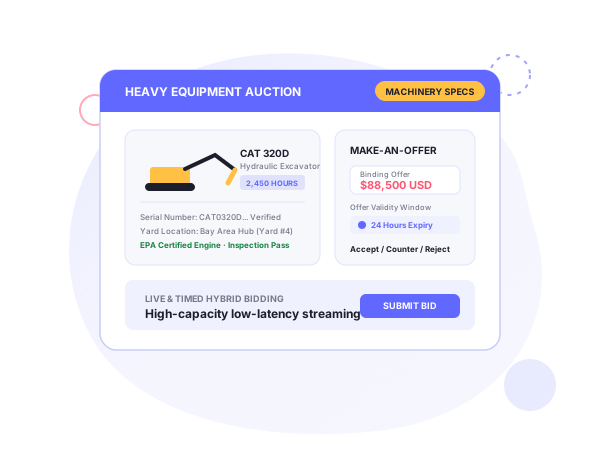
This page maps AuctionWorx and Systenics features onto heavy equipment auction software needs and marks the custom parts.
Enterprise or Events for equipment sales
Enterprise runs individual listings that each close on their own clock, which suits a yard that receives units weekly and wants them online right away. Events groups lots into a cataloged sale with staggered closing, which suits a scheduled auction on a fixed date. Some operators license both. The Live Auctions add-on is built for Events, so a room-plus-online sale starts there.
Equipment fields
Make, model, year, hours, serial number, attachments and condition grade would be custom fields on the listing. Adding them, and reworking the seller intake screens, is customization work.
Timed, live and hybrid bidding
Both editions have proxy bidding, reserve pricing, buy-now and auto-extend. For sale days, the Live Auctions add-on adds real-time audio and video for online bidders while an offline team takes bids in the room. The seller schedules the event and assigns the team, and an auctioneer screen shows incoming bids and who is winning.
Systenics states streams reach 1000+ online users at 500ms latency or less, and the add-on can run on your own servers or in a cloud region near your audience. It works with streaming software such as OBS Studio and Wirecast.
Make-an-offer for high-ticket units
Systenics’ customization guide says high-ticket assets like heavy industrial machinery often close through private negotiation rather than open bidding. Its answer is a Make-an-Offer workflow: buyers submit binding offers with custom validity windows, and sellers accept, decline or counter in real time. It is a custom build. The guide says to keep such logic in separate assemblies, hooked in through AuctionWorx lifecycle events, so core upgrades don’t overwrite it.
Inspection media and pickup
The mobile apps let sellers create listings from a phone and upload photos from the camera or gallery. Buyers get push notifications.
After the sale, warehouse management tracks inventory with QR labels, assigns employee roles, and lets buyers book pickup slots from a calendar, with PIN-verified delivery confirmation.
Payments, integrations and hosting
Systenics’ customization guide names Stripe and Authorize.Net, plus escrow and split-payment services, as payment integrations, and its development page names HubSpot and Salesforce for CRM. Systenics recommends Microsoft Azure for hosting; our hosting and support page is the service side of that.
How an equipment project runs
Systenics works in four steps. A free discovery call produces a ballpark estimate. Requirements and UI/UX mockups tighten it. The build runs in milestones, is deployed to your AuctionWorx installation and is supported through later updates. The customization guide covers how bidding models like make-an-offer are built.
Configure vs customize
| Need | Existing capability | Custom development |
|---|---|---|
| Timed auctions with reserves and proxy bids | Both editions | No |
| Scheduled catalog sale | Events edition | No |
| Live room plus online bidding | Live Auctions add-on | Branding |
| Equipment spec fields | Custom fields | Field design and layout |
| Make-an-offer and counter-offer | Not available | Yes |
| Pickup appointments and QR labels | Warehouse Management | No |
| Escrow, split payments | Not stock | Gateway integration |
Frequently asked questions
Ready to build on AuctionWorx?
Book a call or send us your project details, and we'll get back to you with next steps.
